TimeKeeper

Features
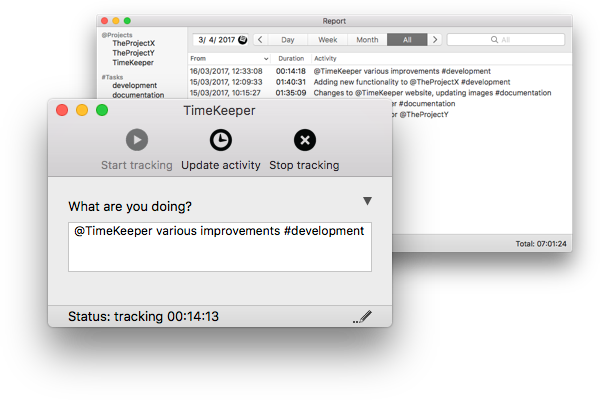
  • track activities you are currently working on
  • idle time detection
  • reminders for notification tracking
  • backup/sync data between multiple Macs using Dropbox
  • global hotkey to bring up TimeKeeper using keyboard
  • autocomplete @projects/#tasks when entering activity
  • add/edit/delete earlier activities
  • view reports for day/week/month or all activities
  • mark activities as invoiced, filter invoiced/non-invoiced activities
  • export activities to CSV and XML files
  • import activities from XML file
  • copy activities from report window to spreadsheet/word processor application
  • StatusBar icon to view current activity duration and easily switch between recent activities
  • StatusBar only mode (application not visible in Dock and ⌘+Tab)
News
April 09, 2013Release of version 2.0
  • OS X notifications
  • allow to run TimeKeeper in StatusBar only mode
  • backup and sync data to DropBox
  • filter invoiced/non-invoiced items in Report winow. Toggle filter bar with menu "View->Show Filter" or shortcut ⇧⌘F
  • idle time detection
  • screensaver/screen sleep/computer sleep/lock detection
  • global hotkey to show timekeeper
  • bugfixes and other improvements
September 17, 2012New store and demo
  • new way to purchase TimeKeeper through FastSpring
  • now you can try TimeKeeper before purchasing, download demo in download section
May 05, 2012Release of version 1.6.2
  • bugfixes/stability improvements
February 03, 2012Release of version 1.6.1
  • fixes Growl notifications in sandboxed environment
  • simplified keyboard shortcuts for main window and report window
  • toggle selected activity as invoiced in report window, with 'i' key